一台电脑管理多个飞书机器人?OpenClaw 多 Agent 实战指南
你是否遇到过这样的场景:
- 同一个电脑需要多个 AI 助手,有的专门处理工作事务,有的做客服,有的陪聊
- 每个机器人要有独立的记忆,互不干扰
- 不同机器人对应不同的模型和技能
今天教你如何用 OpenClaw 在一台电脑上同时运行多个飞书机器人!
什么是多机器人配置?
简单来说,就是让一台服务器上的 OpenClaw 同时连接多个飞书机器人,每个机器人可以:
- 有独立的 AI Agent(工作空间、记忆完全隔离)
- 使用不同的模型(比如工作用 DeepSeek,客服用 GPT)
- 设置不同的访问权限
配置步骤
第一步:创建多个飞书机器人
先去飞书开放平台创建多个机器人应用,获取 App ID 和 App Secret。
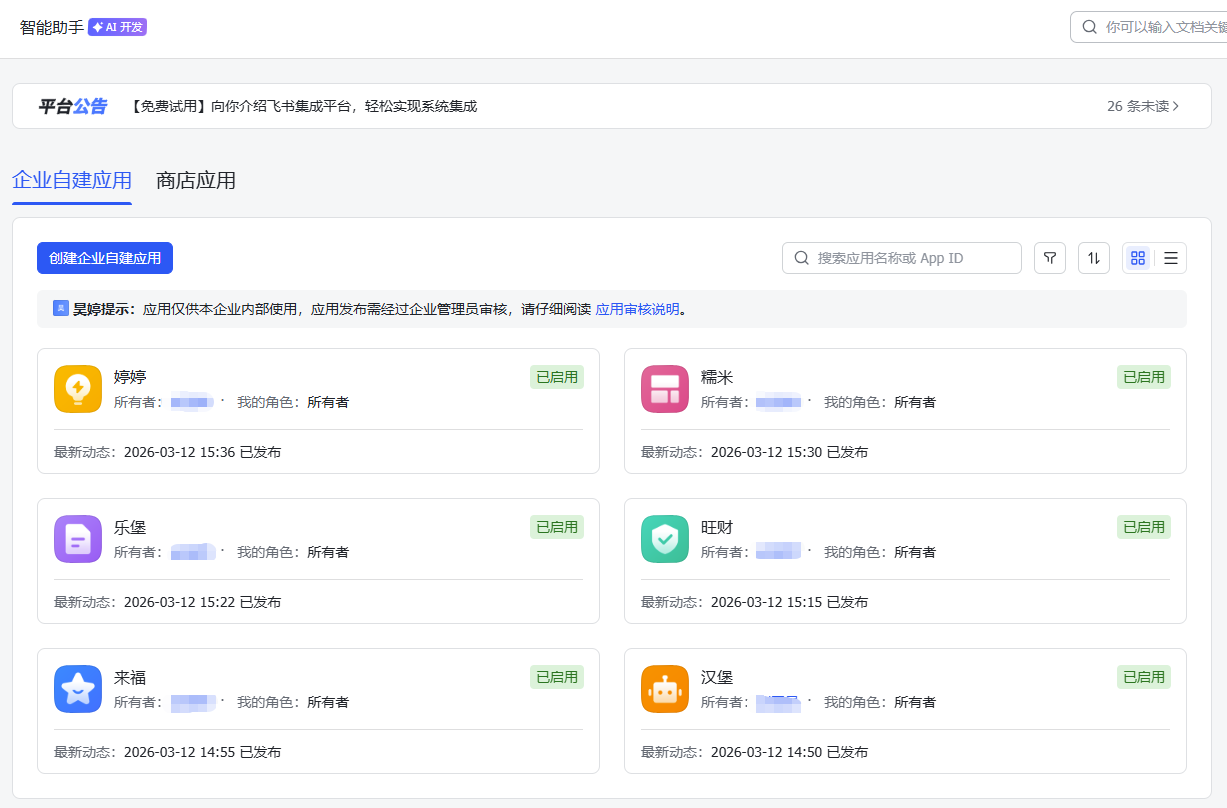
把每一个机器人的权限配置好,并记录好App ID 和 App Secret。

第二步:编辑配置文件
打开 ~/.openclaw/openclaw.json,修改agents、channels、bindings如下配置:
//下面定义了6个agent
  "agents": {
    "defaults": {
      "model": {
        "primary": "minimax/MiniMax-M2.5"
      },
      "workspace": "/root/.openclaw/workspace",
      "compaction": {
        "mode": "safeguard"
      },
      "maxConcurrent": 4,
      "subagents": {
        "maxConcurrent": 8
      }
    },
    "list": [
      {
        "id": "main"
      },
      {
        "id": "stock-helper",
        "name": "stock-helper",
        "workspace": "/root/.openclaw/workspace-stock-helper",
        "agentDir": "/root/.openclaw/agents/stock-helper/agent"
      },
      {
        "id": "xiaohongshu",
        "name": "xiaohongshu",
        "workspace": "/root/.openclaw/workspace-xiaohongshu-helper",
        "agentDir": "/root/.openclaw/agents/xiaohongshu/agent"
      },

      {
        "id": "blog-helper",
        "name": "blog-helper",
        "workspace": "/root/.openclaw/workspace-blog-helper",
        "agentDir": "/root/.openclaw/agents/blog-helper/agent"
      },
      {
        "id": "ttxhs-helper",
        "name": "ttxhs-helper",
        "workspace": "/root/.openclaw/workspace-ttxhs-helper",
        "agentDir": "/root/.openclaw/agents/ttxhs-helper/agent"
      },
      {
        "id": "lottery-helper",
        "name": "lottery-helper",
        "workspace": "/root/.openclaw/workspace-lottery-helper",
        "agentDir": "/root/.openclaw/agents/lottery-helper/agent"
      }
    ]
  },

  //这里配置了6个飞书的机器人的信息
  "channels": {
    "feishu": {
      "enabled": true,
      "appId": "主机器人ID",
      "appSecret": "主机器人appSecret",
      "domain": "feishu",
      "groupPolicy": "open",
      "groups": {
        "*": {
          "requireMention": false
        }
      },

        "accounts": {
            "default": {},

            "lottery-helper": {
            "appId": "第2个机器人appId",
            "appSecret": "第2个机器人appSecret",
            "botName": "来福",
            "dmPolicy": "open",
            "allowFrom": ["*"]
            },

            "stock-helper": {
            "appId": "第3个机器人appId",
            "appSecret": "第3个机器人appSecret",
            "botName": "旺财",
            "dmPolicy": "open",
            "allowFrom": ["*"]
            },

            "blog-helper": {
            "appId": "第4个机器人appId",
            "appSecret": "第4个机器人appSecret",
            "botName": "乐堡",
            "dmPolicy": "open",
            "allowFrom": ["*"]
            },

            "xiaohongshu": {
            "appId": "第5个机器人appId",
            "appSecret": "第5个机器人appSecret",
            "botName": "糯米",
            "dmPolicy": "open",
            "allowFrom": ["*"]
            },

            "ttxhs-helper": {
            "appId": "第6个机器人appId",
            "appSecret": "第6个机器人appSecret",
            "botName": "婷婷",
            "dmPolicy": "open",
            "allowFrom": ["*"]
            }
        }
    }
  },
  //这里把6个agent分别绑定到了不同的飞书机器人
  "bindings": [
    {
      "agentId": "stock-helper",
      "match": {
        "channel": "feishu",
        "accountId": "stock-helper"
      }
    },
    {
      "agentId": "xiaohongshu",
      "match": {
        "channel": "feishu",
        "accountId": "xiaohongshu"
      }
    },

    {
      "agentId": "blog-helper",
      "match": {
        "channel": "feishu",
        "accountId": "blog-helper"
      }
    },
    {
      "agentId": "ttxhs-helper",
      "match": {
        "channel": "feishu",
        "accountId": "ttxhs-helper"
      }
    },
    {
      "agentId": "lottery-helper",
      "match": {
        "channel": "feishu",
        "accountId": "lottery-helper"
      }
    }
  ]
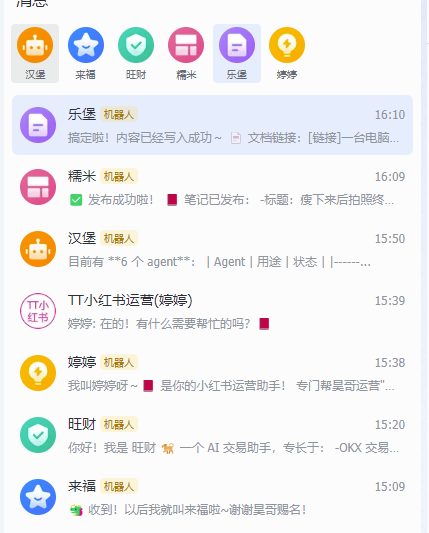
配置修改完毕,重启即可。效果如下:每个agent都绑定好自己的飞书机器人
权限控制
| dmPolicy | 说明 |
|---|---|
| pairing | 默认,需要配对 |
| allowlist | 白名单用户才能聊天 |
| open | 所有人都可以聊 我用的这个,需要加上"allowFrom": ["*"] |
| disabled | 禁用私聊 |
多账号会话隔离(dmScope)
| 值 | 隔离粒度 | 行为 |
|---|---|---|
| main | 最粗粒度 | 所有私聊共用一个会话 |
| per-peer | 按用户粒度 | 同一用户跨不同 channel 共享会话 |
| per-channel-peer | 按 channel + 用户 粒度 | 不同 channel 的同一用户各自独立,但同 channel 下多账号仍共享 |
| per-account-channel-peer | 按账号 + channel + 用户 粒度 | 多账号推荐,每个机器人与每个用户的会话完全独立。 |
按账号 + channel + 用户 粒度设置隔离的快捷指令:
openclaw config set session.dmScope "per-account-channel-peer"验证配置
# 查看渠道状态
openclaw channels status

# 查看路由绑定
openclaw agents bindings

# 检查配置问题
openclaw doctor
总结
通过多机器人配置,你可以:
- 一台服务器同时运行多个 AI 助手
- 每个机器人记忆完全隔离
- 不同机器人使用不同模型(本文没演示,可以让主机器人帮你配置即可)
快去试试吧!
关于服务器部署
我使用的是腾讯云轻量应用服务器第一年199元,2核4G,服务器位于新加坡,有几个明显的优势:
- 下单时选中OpenClaw,就可以初始化时自动安装好,并且自动装好几个基础技能比如:ClawHub,SkillHub
- 可以选择海外服务器,没有网络限制,方便后续更好的使用
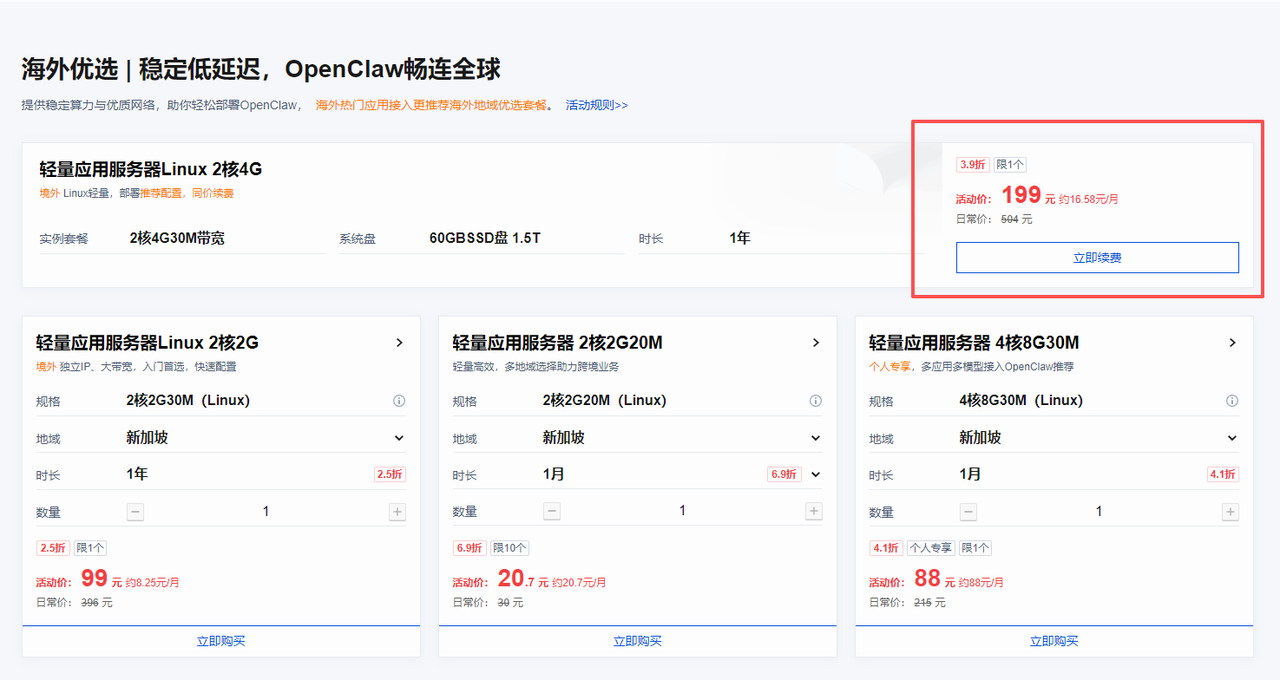
- 确实各大厂商最近对OpenClaw都推出了优惠活动,但是支持海外服务器的我真没找到几个
- 配置模型,飞书,安装技能都可以在腾讯云后台可视化操作
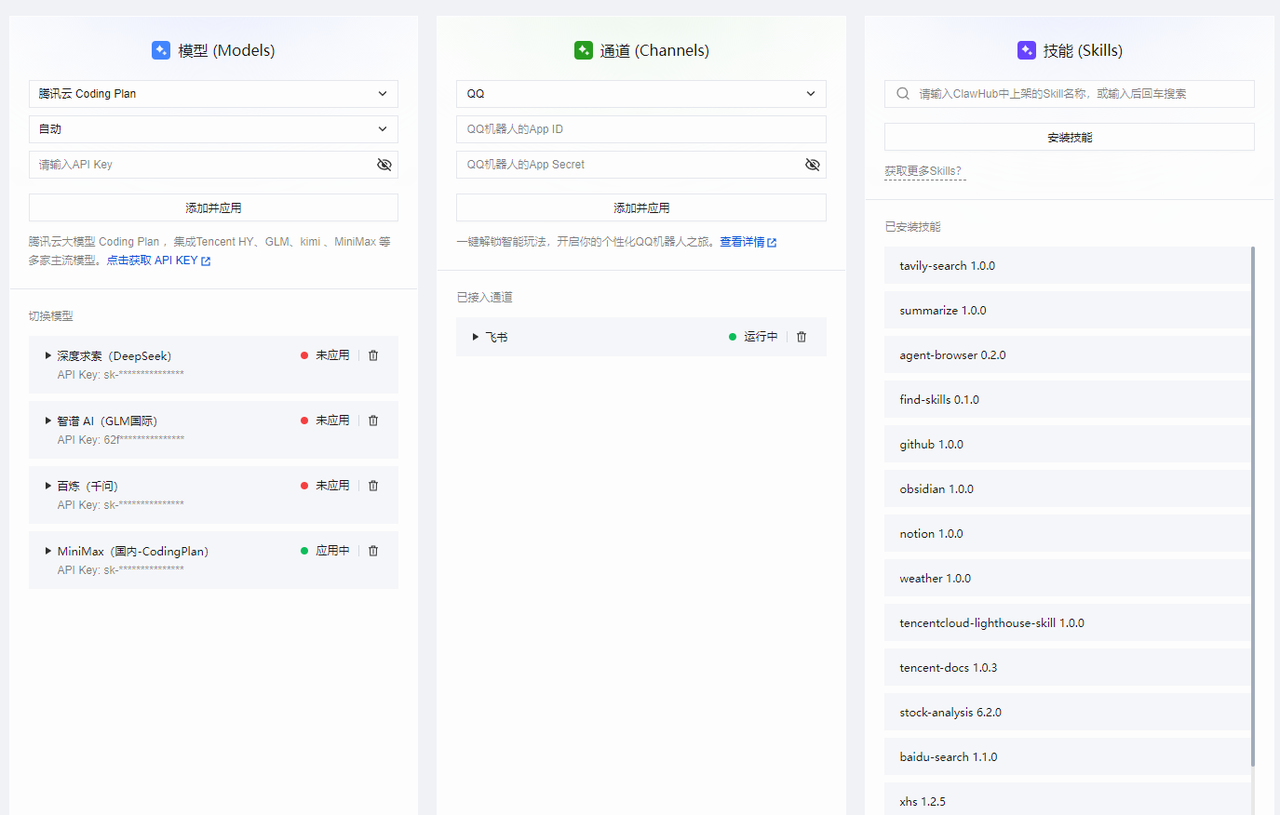
- 升级也可以在腾讯云后台一键升级,重要数据也不会丢失
- 社区的实践教程很丰富学习地址


评论已关闭